
Work as a team: members and DJ accounts
Bring co-hosts, guest DJs and stakeholders onto your station safely — with roles, broadcast-only DJ accounts, an activity log and revocable API credentials.
Running a station is rarely a solo job. Nobex lets you bring people in without handing over the keys — team members with roles, broadcast-only DJ accounts for guests, an activity log of who did what, and API credentials you can revoke in a click. Here's how each piece fits.
1. Add station members
A member is another Nobex user you grant access to your station. Add them by their account, pick a role, and they can help run the station from their own login — no password sharing. Each role has a clear, enforced level of access:
| Role | What they can do |
|---|---|
| Admin | Full access — manage the station, members, DJ accounts and settings. |
| DJ | Broadcast and run shows; view DJ accounts and the activity log. |
| Viewer | Read-only — see the station and its activity log, change nothing. |
The roles form a hierarchy — admin outranks DJ, which outranks viewer — and access is checked on every action. As the station owner you always sit above all of them.
Use viewer for stakeholders
Sponsors, a manager, or a curious co-owner who just wants to watch the numbers should be viewers. They get full visibility and the activity log without any ability to change your station.
2. DJ accounts for guests
A DJ account is different from a member: it's a broadcast-only credential tied to your station, with its own username and password and a friendly display name. A guest DJ can connect and go live — but they cannot touch your dashboard, settings, media or billing.
That makes DJ accounts perfect for guest hosts, a rotating roster, or anyone who only needs to get on air. Create one per person, hand over just those credentials, and delete it when the slot ends.
Never share your own login
Give every guest DJ their own DJ account, not your dashboard password. You keep full control, their access is scoped to going live, and you can revoke one person without disrupting anyone else.
3. The activity log
Every meaningful action on your station is recorded in the activity log — members added or removed, roles changed, DJ accounts created or deleted, and more. Each entry captures who did what and when, so a shared station never becomes a mystery.
Who can see it
The activity log is visible to admins, DJs and viewers alike — it's meant to keep the whole team accountable and informed, not hidden away.
4. API credentials and agent keys
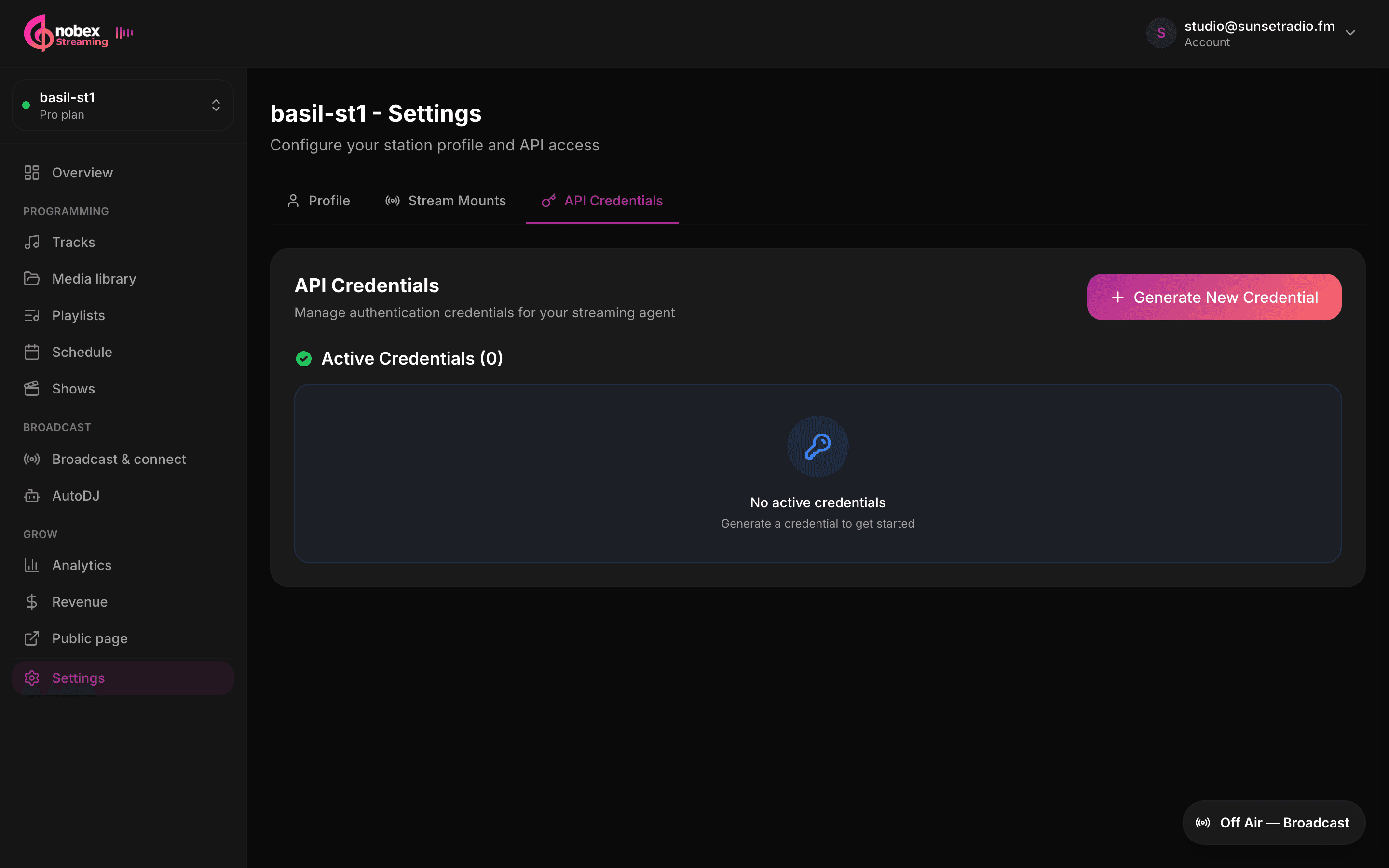
For connecting the Nobex Streaming Agent (desktop) or your own automations, generate an API key and secret under Settings → API Credentials. The secret is shown once at creation, so copy it right away — and you can revoke it anytime, which instantly cuts off anything using it.
Separately, your stream source credentials (the user/pass an encoder uses) can be rotated from the same area — regenerating them disconnects any source currently connected, which is exactly what you want if a credential leaks.
Revoke when someone leaves
When a guest DJ, contractor or teammate moves on, delete their DJ account, remove them as a member, and revoke any API keys they held. Rotating source credentials for good measure kicks any lingering connection.
Putting it together
- Co-hosts who help run the station → add as members with admin or DJ.
- Guest DJs who only go on air → give a DJ account, never your login.
- People who just need visibility → add as viewers.
- Desktop agent or automations → use a revocable API key; rotate source credentials if one leaks.
Keep reading
Ready to put this into practice?
Start a free trial and be on air in under five minutes — no software to install.
Start streaming free