
Make money: tips, memberships, premium and sponsors
Turn listeners into revenue — connect payouts, then switch on tips, memberships, an ad-free premium stream and your own sponsor campaigns, all from the Revenue tab.
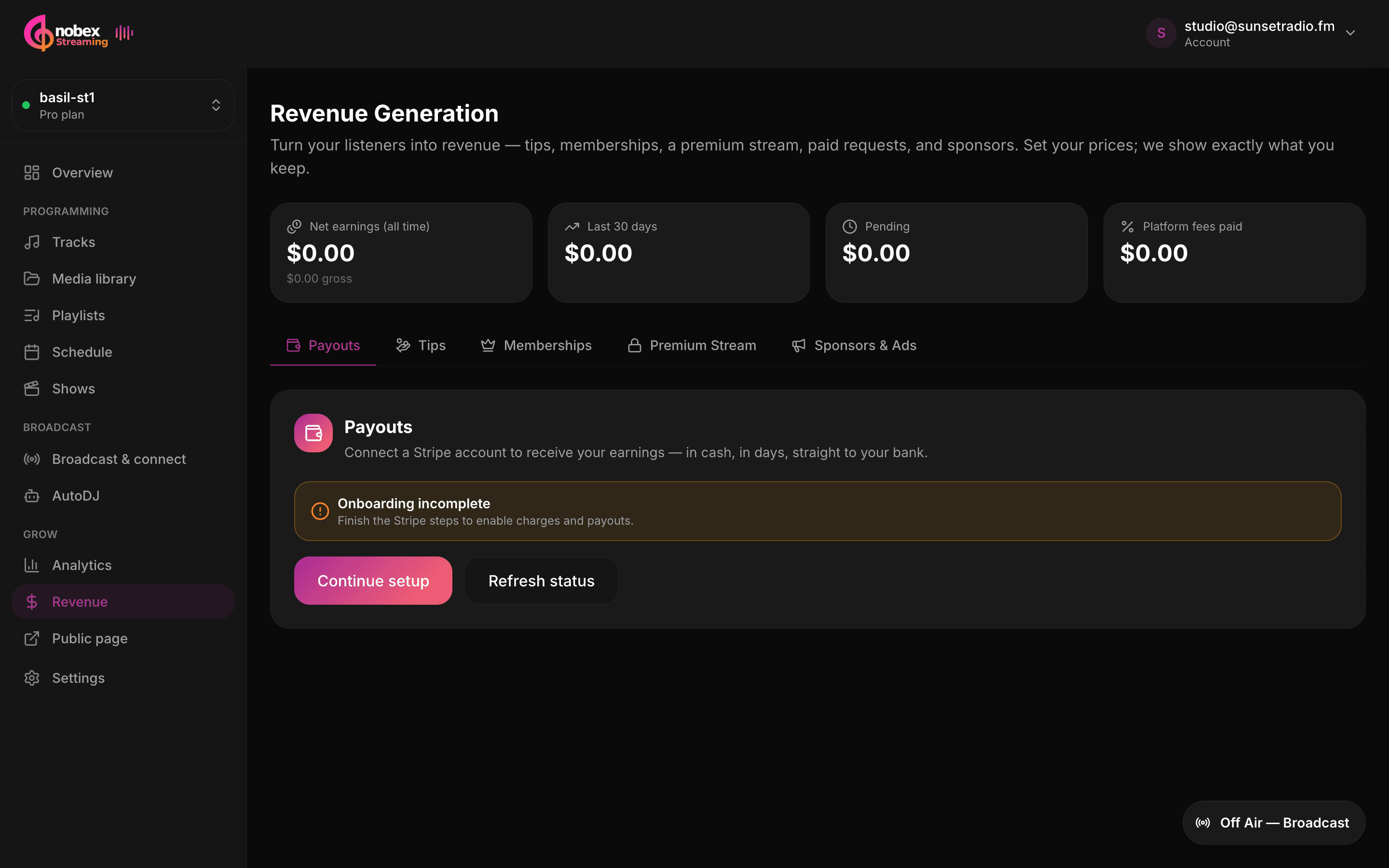
Your station can earn money four ways — one-tap tips, recurring memberships, an ad-free premium stream, and your own sponsors & ads. They all live under Revenue, they all pay out to the same bank account, and you turn on only the ones you want. This guide walks each channel end to end.
One rule before anything else
No channel can take real money until you connect payouts. You can configure everything first, but connect your Stripe account before you launch — see the first section below.
1. Connect payouts first
Open your station's Revenue page and start on the Payouts tab. Click Connect payouts to run Stripe's hosted onboarding — Stripe collects your identity and bank details directly (Nobex never sees them). When you come back, the tab shows Payouts active and every channel is cleared to accept payments.
Until then, each channel shows a small amber note: *"Connect your payouts before this channel can accept real payments. You can still configure it now."* So go ahead and set things up — just finish Stripe before you share anything.
Connect once, earn everywhere
Payouts are a single connection that powers all your revenue channels. Do it once, up front, and you never have to think about it again. You can reopen your Stripe dashboard anytime with Manage in Stripe.
2. Read the earnings strip
Across the top of the Revenue page sits a shared earnings strip — the same four numbers no matter which channel you're looking at:
- Net earnings (all time) — everything you've kept, after fees (with gross shown underneath).
- Last 30 days — your recent momentum.
- Pending — earned but not yet settled to your bank.
- Platform fees paid — what Nobex has taken in total.
Every channel also shows its own fee callout — a plain "You keep ~X%" line with a worked example on a sample amount, so there's never a mystery about what lands in your account.
3. Listener tips
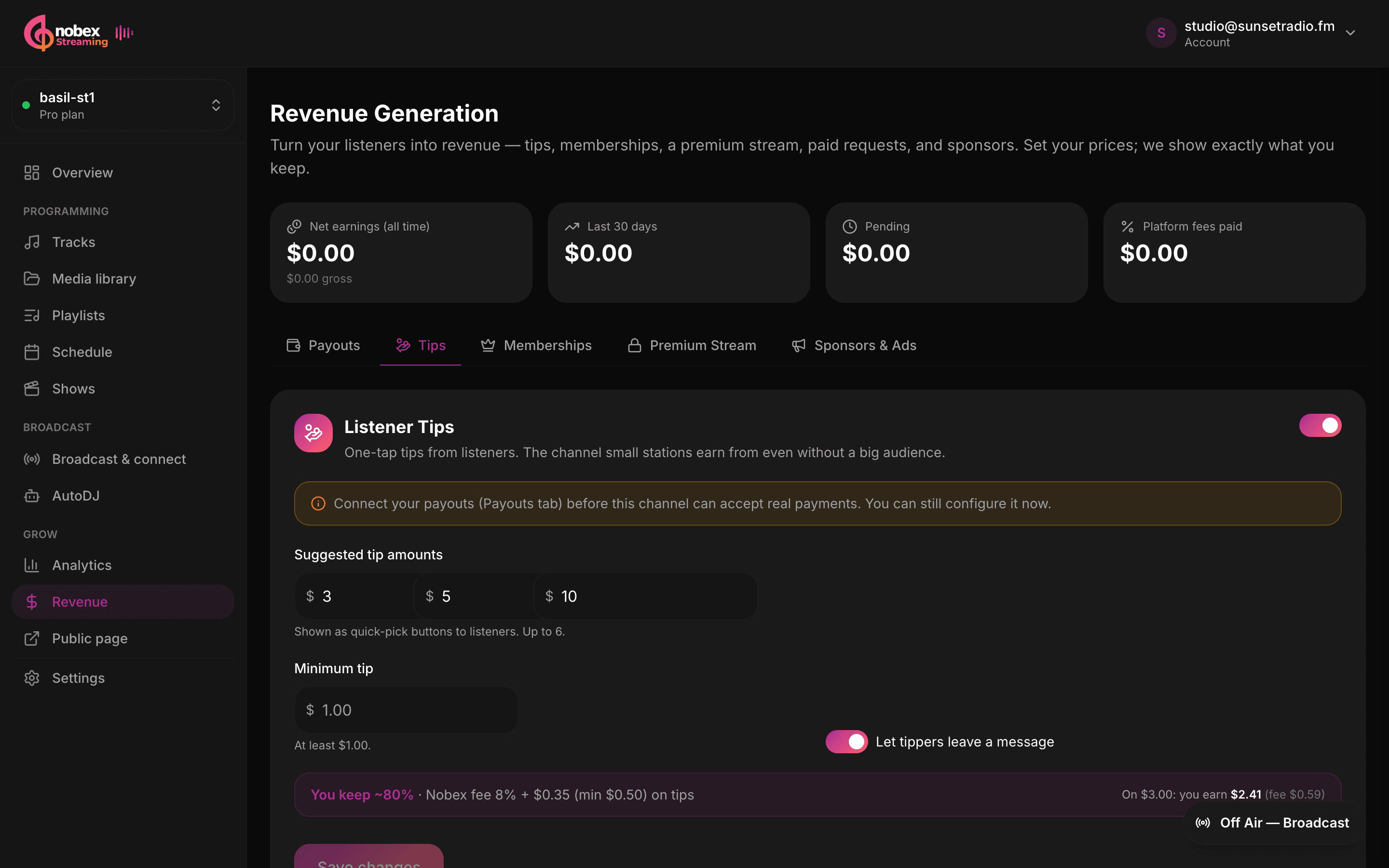
Tips are the easiest place to start — the channel small stations earn from even without a big audience. On the Tips tab, flip Enable tips, then set your suggested tip amounts (up to six quick-pick buttons) plus an optional minimum tip. Listeners can also enter a custom amount.
- Toggle Let tippers leave a message so supporters can say hi with their tip.
- The fee callout shows exactly what you keep — the default platform fee on tips is 10%.
- Tips appear on your public station page's Members / support area.
Give listeners an easy default
Three or four round suggested amounts (say $3, $5, $10) convert better than a blank box. Keep your minimum low so first-time tippers never hesitate.
4. Memberships
Memberships turn one-off goodwill into recurring monthly support. On the Memberships tab, enable the channel, then set a membership name (e.g. Supporter, Insider, VIP), a price per month, and a short What members get description — the perks shown on your support page.
There's one switch that ties memberships to the rest of your monetization: "Membership unlocks the premium stream." Turn it on and every paying member automatically gets your ad-free, higher-quality mount as a benefit. The default platform fee on memberships is 12%.
Price around real benefits
List concrete perks — ad-free premium stream, members-only shows, shout-outs — and price the membership against them. A clear "here's what you get" beats a vague "support us" every time.
5. Premium stream
The premium stream is an auth-gated, ad-free, higher-bitrate companion to your public stream. On the Premium Stream tab, enable it and pick a premium bitrate — 128, 192, 256 or 320 kbps. Access is granted to anyone with a membership that unlocks premium; to sell premium on its own, set an optional standalone price per month.
Listeners unlock premium without creating a password: they enter their email and receive a passwordless magic link that signs them into the ad-free stream. The default platform fee on premium is 12%.
Premium vs. the free stream
Your free public stream keeps running exactly as before. Premium is a separate, better-sounding mount layered on top — a reason to become a member, not a replacement for your open signal.
6. Sponsors & ads
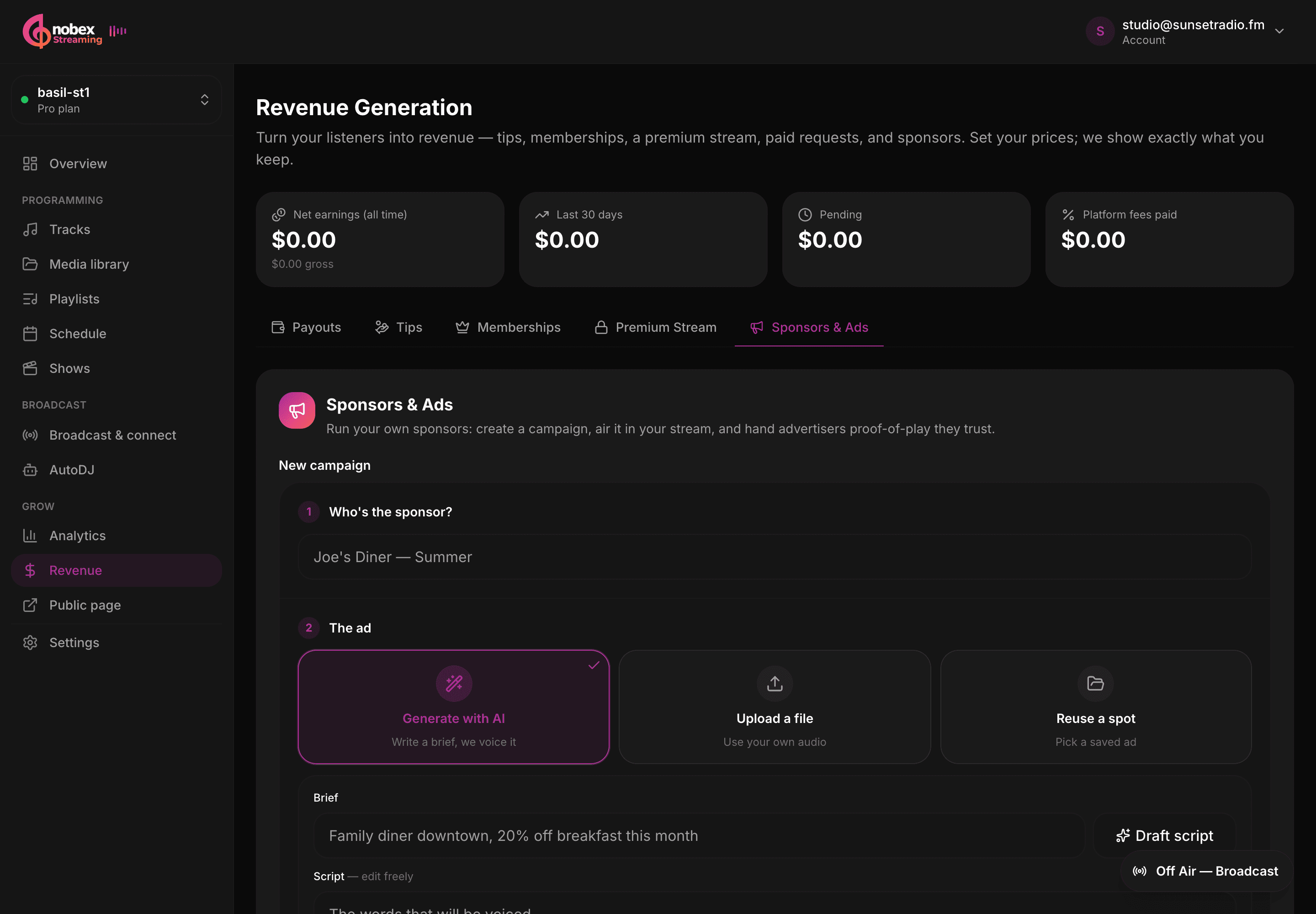
The Sponsors & Ads tab is a full campaign runner. Click New campaign to open the composer, which walks you through the whole job in three steps and then sets the campaign live for you:
- 1Who's the sponsor? — name the campaign (e.g. "Joe's Diner — Summer").
- 2The ad — choose Generate with AI, Upload a file, or Reuse a spot you've saved before.
- 3When it airs — set the frequency and schedule, then hit Launch campaign.
Scheduling: weave spots into the music
Ads air woven into your rotation, not in disruptive breaks. In the When it airs step you control:
- One spot every N songs — the frequency (defaults to every 4 songs).
- When can it air? — All day, or a daypart window (e.g. 09:00–17:00).
- Days — pick specific days of the week, or leave it as every day.
- Start / end date — an optional flight window for the campaign.
- Daily cap — an optional ceiling on spots per day.
Keep ad frequency listener-friendly
One spot every few songs feels like radio; one every song feels like an ad channel. Start conservative, add a daily cap, and use dayparts so sponsors land when your audience is actually listening.
7. AI ad creation
No production budget? Pick Generate with AI in the composer's ad step. Write a one-line brief (e.g. "Family diner downtown, 20% off breakfast this month") and click Draft script — the AI writes a ~30-second script you can edit freely. Then choose a voice and click Generate spot to get a finished, voiced ad.
- The generated spot lands in your library, so you can Reuse a spot in future campaigns.
- Prefer your own audio? Upload a file instead — the composer reads its duration automatically.
- If AI generation isn't enabled on your station yet, you can still write and save the script and generate it once it's switched on.
Proof-of-play for your sponsors
Every campaign logs its spots. The panel summary shows Live campaigns, Aired today, Impressions (live listener count at airtime) and Spots total, and each campaign has a report with an affidavit CSV you can hand an advertiser as trustworthy proof-of-play. The default platform fee on sponsorships is 8%.
Sell the proof, not just the spot
Local sponsors love evidence. Attaching an affidavit CSV — "your spot aired 42 times to N listeners this week" — is what turns a one-off buy into a renewing contract.
Where to start
A simple path that works for most stations:
- Connect payouts (Stripe) — the one prerequisite.
- Turn on tips — the fastest first dollar.
- Add a membership with clear perks, and let it unlock premium.
- Line up a local sponsor and hand them an affidavit CSV.
Keep reading
Ready to put this into practice?
Start a free trial and be on air in under five minutes — no software to install.
Start streaming free